About Paragraphic
Paragraphic is a tool for creating complex 2d vector designs, patterns and data-driven graphics using a modular design system. Paragraphic is built with designers in mind, to allow creating parametric designs in a more...
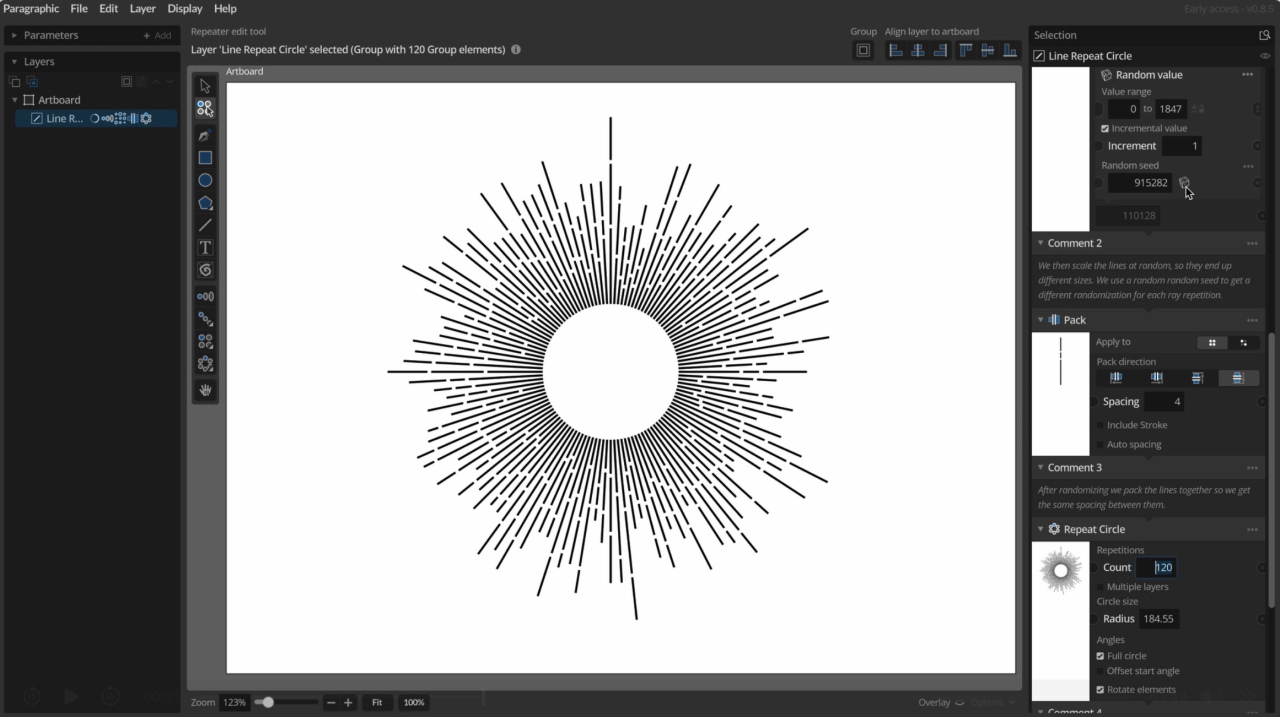
Paragraphic is a tool for creating complex 2d vector designs, patterns and data-driven graphics using a modular design system.
Paragraphic is built with designers in mind, to allow creating parametric designs in a more familiar UI, without any coding and adopting conventions designers will be familiar with in other design tools.
The idea behind this is both to work as an introduction to designers who are new to this typ of design thinking, and to offer a more convenient tool for people experienced in this field.
To encourage experimentation it combines detailed control with allowing you to change any step in the process without needing to remove or undo later steps, giving you a real-time updated view of the end result. To fit into existing workflows you can just copy the result as SVG vector graphics and paste it into other software to continue working with the design.
For more information and to download and try Paragraphic for free (available for macOS, Windows and Linux)
Go to: https://paragraphic.design/
Previous Versions
Here you can find the changelog of Paragraphic since it was posted on our website on 2024-11-08 20:59:03.
The latest version is 1.5.5 and it was updated on 2026-10-12 16:03:22. See below the changes in each version.
Paragraphic version 1.5.5
Updated At: 2026-09-28
Changes: Changes and improvements
- Improved Circle repeater with new automatic count mode based on element angle or distance spacing and reordered parameters to be more similar to Line and Area repeaters.
- Added new Adjust to even spacing option to Circle and Line repeaters that automatically adjusts the spacing used to the closest matching even circle/line repetition.
- SVG export of simple lines now use the LINE tag rather than the generic PATH tag.
- Some improvements to SVG symbol generation when exporting svgs with embedded bitmap image content.
Bug fixes
- Fixed layer list drag reordering (regression in 1.5.4).
- Fixed Circle repeater incorrect generation index max for some multi-level repetitions with layer count offset.
Paragraphic version 1.5.4
Updated At: 2026-09-17
Changes: Changes and improvements
- Added new Cap to periods option available in all value function nodes (such as Apply Function, Index Function etc) allowing you to cap the function values to the min / max values before and after a specified range. This makes using offset functions more powerful and opens up some new usecases.
- Added Sampled color value setting to Apply layer node, allowing you to control what color value to apply, like color darkness, RGB-channels or Alpha channel.
- Added Custom export filename parameter to Artboards, allowing you to set and reuse separate export filenames per artboard.
- Added CMYK channel sampling options to Apply layer node and Value from layer input node.
- Node preview for Path Subdivide node now shows control points for better visual feedback.
- Adjusted value field hover controls style and closing behavior a little to reduce the risk of misclicks.
- Added support for site license deployment (for new Educational site license option see lostminds.com/education)
Bug fixes
- Fixed being able to add input nodes to disabled parameters via the parameter context menu.
- Fixed alt-drag duplicating artboards grabbing the original artboard instead of the new copy.
- Fixed scroll wheel editing value fields also scrolling parent view.
- Fixed scroll wheel editing changing the displayed value in disabled value fields (even if it didn't modify the values).
Paragraphic version 1.5.3
Updated At: 2026-08-25
Changes: Changes and improvements
- Added Reverse Path node reverses the direction of a path, useful in some cases when repeating along paths or joining multiple paths together.
- Changed Repeat Mirror node mirror offset to be independent for element pivot changes, making it much easier to use with freeform path elements.
- Always change to the appropriate editing/selection tool when adding a new node to a layer.
- Improved updating of tool properties (like fill and stroke) based on previous selection.
- Node panels and generation index selectors now update to show identifier numbers when you have more than one node with the same name in a layer.
- Updated to Godot engine 4.7.2
Bug fixes
- Fixed value fields for dynamic values set by index-based or random input not showing the last used values in some situations.
- Fixed layer edge offset snapping for scaled layers and groups.
- Fixed snapping to layer edges not snapping to other layers in the same group.
- Fixed index selection parameters sometimes not reacting first time you try to change them.
- Fixed layer node context menu "Add node after" item instead adding node before.
- Fixed crash trying to add layer node before generator node in layers using node context menu item.
- Fixes incorrect offset result when using Join Paths node on some cases of scaled path elements.
- Fix multi-level repetitions with varying count resulting in no output at all if the first iteration would have no output.
- Fixed blurry rendering of text when zoomed out far.
- Fixed annoying little resize of toolbar when changing the selection in some situations.
Paragraphic version 1.5.2
Updated At: 2026-06-30
Changes: Changes and improvements
- Added a new Join Paths node that allows you to join a group of open paths into a single path by connecting the ends. This allows you to build a lot of interesting shapes and create guilloche-style line patterns.
- Holding Alt when using the hover value slider controls now changes the slider range to +/- 1 to make it easier to make small value adjustments to larger values.
- Joining two selected path end points in the same location now merges them into a single point.
- You can now open a path at a single selected path point, splitting this control point into two disconnected end points.
- You can now close paths linking to sub-path end point with the same direction (which automatically reverses the direction of on of the subpaths).
- Added a Rename item to the context menu in the layer list as an alternative to double-clicking to rename layers.
- Update to Godot 4.7 and ThorVG 1.0.3 rendering/svg engines for improved performance and stability.
- Minimum required system version on mac is now macOS 11.
Bug fixes
- Fixed shift/alt modifier states sometimes sometimes getting stuck when switching out to another application and in again.
- Fixed issues with adding new points along some opened freeform paths.
- Fixed bug with undoing deletion of a path control point in some situations.
- Fixed deleting multiple selected control points sometimes not removing all of them.
- Fixed Change Pivot node pivot presets not resulting in the expected pivot for some offset elements.
Paragraphic version 1.5.1
Updated At: 2026-06-18
Changes: Changes and improvements
- Snapping now disregards hidden layers.
- The Artboard tool can now draw new artboards in any direction and not just top-left to bottom-right.
- Open file tabs can now be closed by clicking on them with middle mouse button.
- Some improvements to handling keyboard shortcuts for tools.
- Update to Godot engine 4.6.3.
Bug fixes
- Fixed initial flash of bigger repetition radius when using Circle repeater tool to add a circle repetition to a layer.
- Fixed layer snapping not updating in cases where moving a layer will cause regeneration of a different layer.
- Fix Circle repeater not generating correct output when count was set to 1.
- Fixed some issues with adding new linked freeform path control points to opened path ends.
- Fix Circle repeater not applying index-based/dynamic radius values.
- Fixed issues with parameter socket connection menus in layer transform parameters.
- Fixed some cases of connection ends not being redrawn correctly after selection change.
- Fixed issues with node/parameter warnings not updating as expected.
- Fixed issue with aborted generation cycles sometimes causing Apply Layer node to use invalid measured points data.
- Fixed error messages in some situations adding and then immediately removing some input nodes.
- Fixed select all not working in some text fields.
Paragraphic version 1.4.4
Updated At: 2026-03-26
Changes: Changes and improvements
- New Font Picker panel with filtering and per-document recent fonts replacing the old font selection menu.
- You can now close open utility panels with Escape.
- Performance improvements for color gradient usage.
- Improved undo/redo system with better grouping of undo/redo actions.
Bug fixes
- Correctly restrict Arc shape arc angle to +/- 360 range.
- Fixed undo/redo while data table editor panel is open.
- Fixed undo/redo while color picker panel is open.
- Fixed document unsaved changes state not reverting correctly after undoing changes.
Paragraphic version 1.4.3
Updated At: 2026-03-12
Changes: Changes and improvements
- Changed Set Stroke node line dash settings adding new simplified Dash, Gap and Offset length parameters in addition to the full custom dash pattern table option.
- Changed layer node enable/disable toggle button icon to differentiate it from the visibility toggle buttons.
- Replaced the Show overlay parameter for displaying sampling positions in layer sampling nodes with a more general display toggle button in the header of the node panel to show/hide custom overlays for nodes.
Bug fixes
- Fixes converted path first edited control point reverting to sharp corner when editing directly after converting a layer to a freeform path layer.
- Fixed bug where layer sampling (like Apply layer or Value from layer nodes) would not update correctly if the sampled layer was in a group that was transformed.
- Fixes a bug with undoing/redoing layer grouping and ungrouping.
- Fixes some log errors/warnings when undoing adding new shape layers.
- Fixed layer sampling node sampling positions being shown in the wrong place if updated while node overlay was turned off.
Paragraphic version 1.4.2
Updated At: 2026-03-01
Changes: Changes and improvements
- The Element Position input node can now be used outside Change nodes (for example in Repeater nodes) and now take repeater transforms into account, working similar to the Value from layer and other layer sampling input nodes.
- Added support for exporting to WebP format.
- Added support for importing WebP format images.
- Changed Trial mode vector export restrictions to be a little more lenient.
Bug fixes
- Fixes bug where pixel format exports would not properly represent artboard background color if it changed after first export.
- Fixes warnings on layers from second level parameter input nodes not being correctly cleared if parent input nodes were removed.
- Fixes some errors when removing repeater nodes in some situations.
- Fixes some unexpected scrolling of the Inspector panel in some cases when adding new input nodes.
- Fixed incorrect relative index calculation for path modifier node Point index generator index.
Paragraphic version 1.4.1
Updated At: 2026-02-17
Changes: Changes and improvements
- Added a new Clamp to range value input node to restrict a value to a specified range.
- Added new option to Function value input node to clamp the value to the current input range.
- You can now convert simple imported svg layers to freeform path layers, automatically adding fill and stroke color nodes as needed.
- You can now edit artboard names by double-clicking their labels in the main view.
- On Windows and Linux you can now also use control-mouse wheel to zoom (in addition to alt-mouse wheel).
Bug fixes
- Fixes some unexpected scrolling of the Inspector panel in some cases when adding new layer nodes.
- Fix length value units not being correctly automatically assigned in the Map Value values table.
- Fix incorrect stroke width in tooltip on layer structure panel element items.
- Fix incorrect svg stroke width parsing of stroke width with px units.
- Fix creating outline paths from text layers (regression in 1.4.0).
- Fix some cases of incorrect UI scaling on Linux.
Paragraphic version 1.4.0
Updated At: 2026-02-09
Changes: Check out the (1.4 Release blog post and highlights video)
Changes and improvements
- New Data Table parameters, allowing you to import and work with spreadsheet-style tables of values and text for use in data visualization and data-driven designs. These new Table parameters replace the old comma-separated List parameters and also introduce new Table versions of all previous list-related nodes.
- Conditional parameters, a new type of parameters and input nodes that allow you to set up logic conditions controlling what color, value, text or other input to use based on if a defined condition is fulfilled or not, or to set up conditions in Change nodes for what elements should be changed.
- Element property access. Using a new set of new Element input nodes you can get access to size, position, indexes and colors of the currently processed element in Change or Group nodes. This allows you to apply specific changes based on these properties, and allow you to set up conditions for conditional selections in Change nodes based on them.
- Multiple artboard support, work with multiple artboards in a single document to make it easier to for example work with components separately from the finished design or different format/size design outputs.
- Improved text and font features, with access to more font collections and styles installed on the system in Paragraphic and SVG exports and multiple new text input nodes for modifying and formating text content.
- Added new Format value string input node, allowing you format values for text display.
- Added new Replace text and Change case string input nodes, allowing you manipulate text strings for display.
- Added new Map value value input node, allowing you to round an input value to the closest value from a table of values.
- Added new Statistics from table value input node, allowing you to get calculated values like totals, relative values and averages from value tables. Useful for generating data visualizations like pie charts or stacked graphs.
- Added new Vector operation 2d vector input node, making it easier to add, subtract or scale input 2d values.
- Added new Loop repeater node, that in itself doesn't apply any changes to repeated elements but is convenient for index-based generation where other nodes change the repeated elements.
- The Index Value and Index Function input nodes along with other index selectors can now also access element row, column and index set by previous repeaters, allowing you to use these when applying changes in change nodes after repeating elements.
- Export settings are now saved per artboard, and changing export settings marks the document as having unsaved changes.
- Added a secondary highlight frame to value fields to make it easier to see what field is currently targeted by the hover value change controls.
- Some general performance improvements.
- Removed Add new document parameter connection menu option from input sockets of Document parmeaters.
- Changed Windows rendering backend to DirectX12 for improved stability and device support.
- Improved Linux package to be a zip-archive with included desktop/launcher icon and install script.
- Updated to Godot 4.6 rendering engine.
Bug fixes
- Fixed Artboard node panel preview not updating correctly when changing artboard properties.
- Fixed pasted values and text being inserted twice in some value fields.
- Fixed a couple of issues with repeater tools when used on some transformed layers.
- Fixed some issues with node previews for groups with text and path elements mixed.
- Fixed clicking replaced elements in group layers seleting the replacement original layer instead.
- Fixed Document parameters with input connection but no output connections not updating on input changes.
- Fixed bug where alt-click-drag duplicating layers would sometimes not work as expected.
- Fixed elements with gradient fill and no stroke getting a blue outline stroke in node previews.
- Fixed a rare macOS crash related to invalid content on the system pasteboard.
- Fixed some parameter warnings set during file loading (such as for missing fonts) not showing on the parameter.
- Fixed startup Help menu hint being obstructed by other UI elements.
- Fixed some display issues with small disabled checkboxes.
- Fixed confirmation dialogues on linux not being correctly centered.
- Fixed Value From Layer input node not working correctly when added as input to a text string parameter.
- Fixed some possible errors when loading files using nodes that use other layers as path inputs, such as Repeat on path and Point on path.
Disclaimer
External Download
We do not host Paragraphic on our servers. We did not scan it for viruses, adware, spyware or other type of malware. This app is hosted by the software publisher and passed their terms and conditions to be listed there. We recommend caution when installing it.
The external download link for Paragraphic is provided to you by apps112.com without any warranties, representations or guarantees of any kind, so access it at your own risk.
If you have questions regarding this particular app contact the publisher directly. For questions about the functionalities of apps112.com contact us.